Five minutes before service

Turn today's menu changes into training before service.

The manager adds today's focus. Staff get a short lesson and readiness check on their phone. The manager sees who is ready before guests arrive.

  • No payment required to start
  • Menu upload is optional
  • Internal tool for staff training
Demo Bistro Friday 16:30 RT
Today's briefing New dessert, sold-out ribeye, two allergy tables

Read tonight's focus and what must be escalated to kitchen or manager.

Readiness check Can you explain the change?

Three short questions with explanations if something needs repeating.

Manager overview Ready before opening

See who has read the briefing, who is missing the check, and what needs follow-up.

8/10read
6/10ready
2follow up
Restaurant team gathers before service with a manager at the table
Manager writes today's focus Specials, sold-out items, allergy notes, and service focus in one place.
Staff train on phones Short lessons and readiness checks before or around service.
Manager sees who is missing Read status, weak spots, and follow-up before guests arrive.

Choose your path

Restaurant beta is for teams. Learner profiles are personal.

Most restaurants should start with the beta workspace. Personal learners can create a training profile and use the learning tree without being attached to a restaurant yet.

Restaurant

Create restaurant

For owners, managers, and admins who want to invite staff and test Restaurant Training in operations.

  • Restaurant workspace
  • Invite staff
  • Menu upload can wait
Create restaurant
Learner

Create learner profile

For people who want to build restaurant skills, take readiness checks, and keep personal progress.

  • No restaurant required
  • Access the learning tree
  • Can connect to an invite later
Create learner profile

Before service

The important training often happens right before the doors open.

Restaurant Training is built for the minutes when a manager needs to get today's changes, allergy notes, and service focus to the team without another long message thread.

The menu changes

Specials, sold-out items, and new descriptions need to reach everyone before service starts.

Allergens need safe boundaries

Staff need to know what they can say and when the manager or kitchen must be involved.

New staff need rhythm

Onboarding is easier when the first days have short, concrete steps.

Managers lack visibility

It is hard to see who has read, understood, and is ready for tonight's focus.

Friday 16:30

A concrete service flow, not a course library.

Start with what you already have: menu, allergen notes, wine notes, simple guidelines, or today's specials. The beta should make that material useful before the next service.

16:30 Manager writes today's focus

Specials, sold-out items, large parties, and allergy notes are collected in one briefing.

16:36 Staff get a short lesson

The phone shows what they need to know, how to say it to guests, and when to ask.

16:41 Readiness before guests

Three to five questions check whether tonight's most important points are understood.

16:47 Manager sees who is missing

Follow up with two staff members or one weak spot before service starts.

Beta flows

Three concrete flows you can test in the beta.

Instead of starting with a heavy setup, you can test the situations where Restaurant Training should make a visible difference in daily operations.

Today's briefing

  • Manager makes service focus concrete Expected guests, large parties, specials, sold-out items, and manager notes become one short briefing.
  • Staff read on their phones The staff member sees what matters before the shift without desktop setup, app-store install, or long modules.
  • Manager sees who is missing Read status and readiness checks show who needs a fast follow-up before guests arrive.

Menu and allergy changes

  • Start with ordinary material Menus, allergen notes, wine notes, specials, and simple guidelines can become practical training.
  • Mini lessons before checks Staff learn what to know, how to say it to guests, and when the kitchen or manager must be asked.
  • Safety first For allergens, staff are trained to know the boundary and escalate uncertainty, not guess.
  • Personalized, not generic DeskDude Hospitality Core can support the product, but your own material is the source for menu-specific knowledge.

New employee

  • Ramp plan from day one New employees can get a role-based start plan with the most important steps for your restaurant.
  • Lesson before quiz Onboarding starts with explanation and guest language before the employee is checked for readiness.
  • Progress without micromanagement The manager can see what is completed, where weak spots appear, and what should be followed up.
  • Language that matches the team Danish and English are primary. German is supported carefully with the same safety boundaries.

Inside the beta

A small service flow the manager can actually follow up on.

The product should not feel like another document archive. It should make today's changes visible, give each staff member one clear action, and show the manager where follow-up is needed.

Dinner service Friday 16:47
Today's focus New dessert, sold-out ribeye, two allergy tables
Active briefing
Briefing
Staff have read tonight's changes

Menu, specials, and service focus are collected in one short mobile view.

8 of 10
Readiness
Two people still need the check before guests arrive

Explanations after mistakes turn follow-up into training, not control.

6 of 10
Safety
Weak spot: allergens need clearer escalation

The manager knows exactly what to repeat in the briefing.

Follow up

Operational use

Built for the moments when restaurants actually need training.

The beta should show whether Restaurant Training helps in daily operations: before service, during onboarding, and when something important changes.

A new server starts

Role-based ramp plans, short lessons, and readiness checks make the first week clearer.

Friday briefing

The manager posts today's focus, expected guests, specials, and sold-out items.

Allergen escalation

Staff are trained to know the boundary and ask a manager or kitchen when safety is affected.

Wine and menu knowledge

Menu items, pairings, and guest language can become short explanations before service.

Changes before service

When a dish, routine, or allergy note changes, staff can acknowledge that they have read it.

Mixed teams

Danish and English can work in the same team, while German is handled carefully with clear safety boundaries.

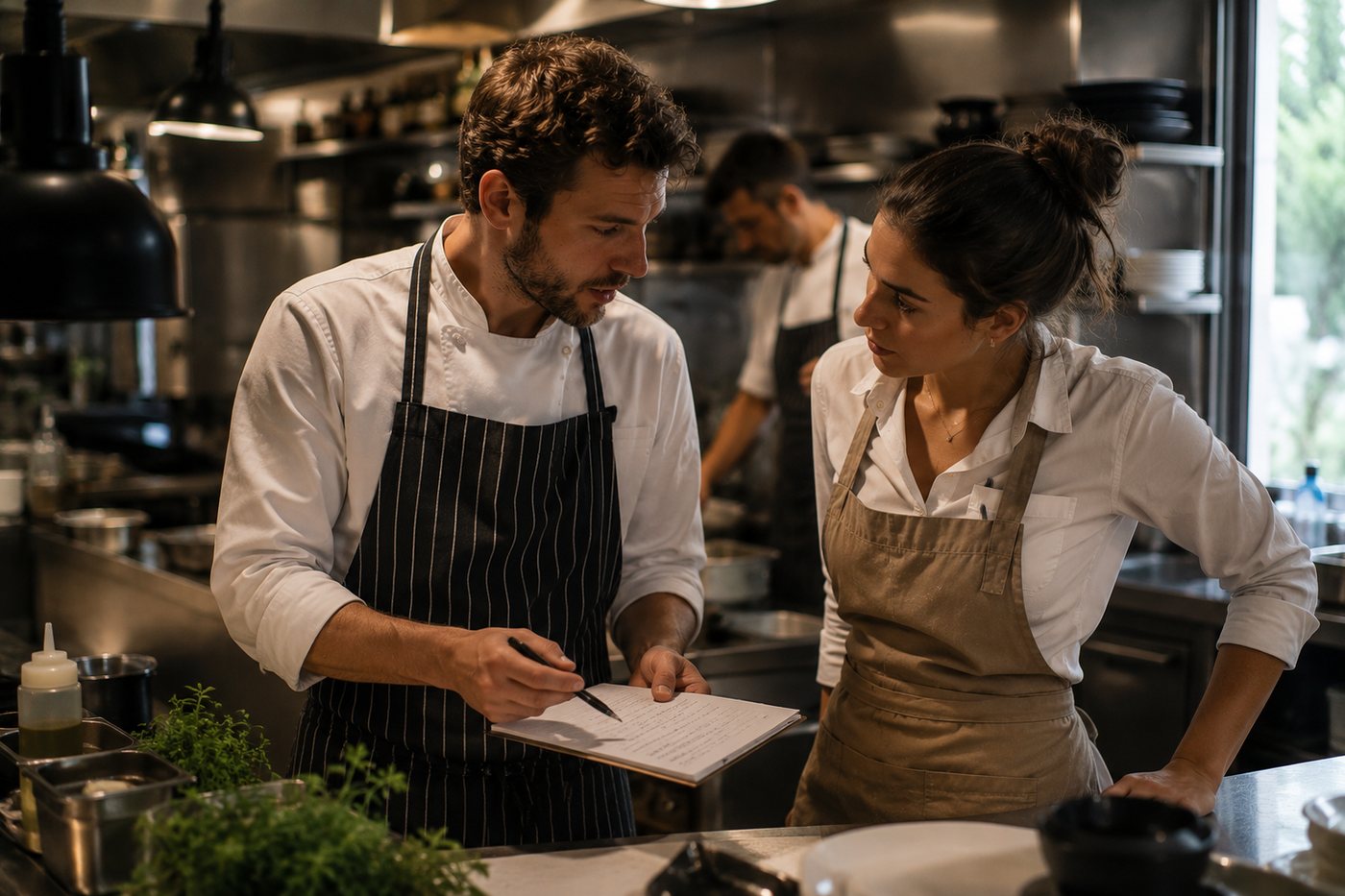
Kitchen lead reviews notes with a staff member before service

Training should stay close to operations: short, concrete, and easy to follow up on.

That is why the beta is built around phones, briefings, acknowledgements, and manager overview.

Coming soon

Things we will build on after the first beta tests.

These items are not sold as included beta features. They show the direction if the core flow works in real restaurants.

Manager coaching briefComing soon
Better update workflowsComing soon
Restaurant brandingComing soon
Multi-location laterLater
Possible integrationsLater

Beta now, paid later

Free beta now. Clear paid plans after launch.

The beta is free while it is open. After launch, paid plans are expected from 499 DKK/month ex. VAT for restaurants that want to use Restaurant Training in daily operations.

Create restaurant
Now

Beta

0 DKK

Free while beta is open. Feedback is expected.

  • Up to 30 users
  • 1 location
  • No payment
Create restaurant
After launch

Trial

14 days

For restaurants that want to test after commercial launch.

  • Up to 30 users
  • Limited usage
  • No payment during trial
Ask about trial
Founding price

Starter

499 DKK/mo.

Ex. VAT. For one restaurant using training regularly.

  • Up to 50 users
  • 1 location
  • Planned after beta
Talk to us
Founding price

Team

999 DKK/mo.

Ex. VAT. More capacity for larger teams.

  • Up to 100 users
  • 1 location
  • More AI and quiz capacity
Talk to us
Setup

Personalized Setup

From 10,000 DKK

Ex. VAT + monthly plan. For teams that want help from the start.

  • Material review
  • Setup and structure
  • Clearer training flow from day one
Talk to us
Plan Users AI answers Quiz generation Documents and storage
Beta 30 total Not included in free beta Not included in free beta 5 documents / 25 MB
Trial 30 total Limited trial usage Limited trial usage Light test setup
Starter 50 total 500 per month 10 per month 20 documents / 250 MB
Team 100 total 1500 per month 25 per month 50 documents / 1 GB
Personalized Setup Based on selected plan Based on selected plan Based on selected plan Based on selected plan + setup help

All paid prices are ex. VAT. Beta requires no payment. Paid plans start after beta and commercial setup are ready.

Safety

AI helps behind the scenes. Your restaurant boundaries guide the training.

Restaurant Training can help turn menus and guidelines into training, but it is still an internal tool. For allergens and safety, staff should escalate, not guess.

The starting material is ordinary restaurant material

  • Menus and allergen information
  • Service guidelines, specials, and routines
  • Wine notes and service standards
  • Dummy data can be used if you only want to feel the flow first

Clear boundaries for allergens and safety

  • Restaurant Training is an internal staff tool, not a guest-facing chat.
  • It does not replace managers, kitchens, approved allergen checks, or your own procedures.
  • When uncertain, staff are trained to escalate, not guess.
  • Deep AI integration must happen with proper access control, data handling, and agreements.

FAQ

Questions before you test the beta.

Short answers to the things a restaurant usually needs to know before creating a free beta.

Is the beta free?

Yes. The beta requires no payment to start. Paid plans come later, after beta and commercial setup.

Do we need to upload our menu before testing?

No. Menu upload is useful, but not required to create a workspace and invite a small team.

What material can we start with?

Menus, allergen notes, simple service guidelines, specials, wine notes, and routines. Dummy data can be used as a fallback.

Does Restaurant Training answer guests directly?

No. It is an internal training tool for staff and managers, not a guest-facing chatbot.

Can it guarantee allergen answers?

No. For allergens and safety, staff must follow your procedures and escalate to a manager or kitchen.

Can staff use it on phones?

Yes. The staff experience is mobile-first, so training can happen before or around service.

Which languages are supported?

Danish and English are primary. German is supported with the same careful safety boundaries, not as certified compliance training.

What happens after beta?

If the product fits your operation, you can continue on a paid plan after launch. Otherwise you can stop without payment.

How much setup does it require?

The beta is designed to start light. You can create a workspace, invite staff, and choose starter material afterwards.

Can kitchen staff use it too?

Yes. Training can work for front-of-house, kitchen, and other roles as long as the content matches their responsibilities.

What happens to our data?

Your material is used for your restaurant training. Deeper integrations must be built with clear agreements, access control, and GDPR care.


Start with a free beta and see whether Restaurant Training fits your operation.

Create a workspace, invite a small team, and test short lessons, readiness checks, and manager overview before paid plans launch.

Secondary path

Would you rather write first?

The best path is creating a free beta. If you want to clarify something first, you can send a short beta request.

Fields not marked optional are required.

hello@deskdude.dk

Create restaurant Create learner